Addon Detail
Everything about a single add-on: rates, taxes, amenities, and images
Addon Detail
 Click to enlarge
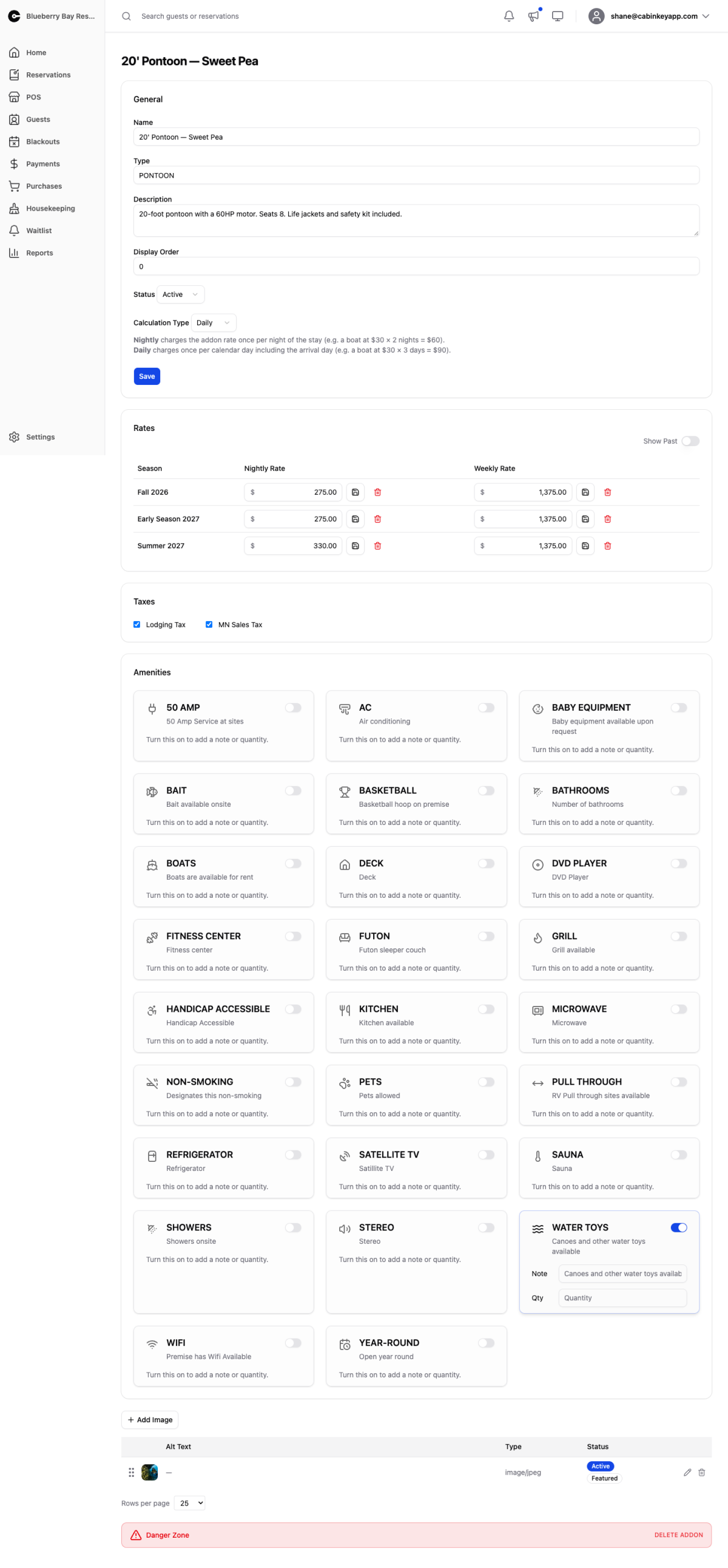
Everything about one add-on — a boat, a pontoon, a dock slip, a piece of equipment.
General
Name, type, description, display order, and status.
Calculation Type is the field that matters most, because it decides how a multi-day rental is charged:
- Nightly counts nights the way a unit stay does. A Friday-to-Sunday rental is two nights.
- Daily counts calendar days. The same Friday-to-Sunday rental is three days.
Daily is usually right for something the guest has the use of on the day they collect it and the day they return it — a boat picked up Friday morning and returned Sunday afternoon was used on three days. Nightly is right for anything that travels with the stay, like a dock slip tied to the cabin.
Getting this wrong quietly under- or over-charges every rental of that add-on, so it is worth checking against how you actually hand the thing over.
Display order controls where it appears to guests; status takes it off sale without deleting it.
Rates
Nightly and weekly rates per season. Show Past reveals concluded seasons.
An add-on with no rate for a season cannot be booked in it, which is the usual reason a boat vanishes from the guest booking flow after a season rolls over. To set rates for everything at once, use the Addon Rates grid.
Taxes
Which of your property’s taxes apply to this add-on’s charges.
Add-ons often attract different taxes from accommodation — a lodging tax typically does not apply to equipment rental, while a general sales tax usually does. Assign deliberately rather than copying whatever the units have.
Amenities
What the add-on comes with, optionally with a note or quantity — “Life jackets: 4”, “Fuel included”. Options come from Amenities settings.
Image Gallery
 Click to enlarge
Photos guests see for this add-on. Drag to reorder, mark one as featured, and delete what you no longer need.
 Click to enlarge
The list view of the same images, easier for reordering or confirming which one is featured.
Danger Zone
Deleting an add-on is permanent and cannot be undone.
It is also blocked while any reservation still refers to it — past or cancelled included — because removing it would break that booking history. When that is the case, the danger zone tells you how many reservations are attached instead of offering the button.
For an add-on you have stopped renting, setting its status to Inactive is the right move. It disappears from guest booking while every past reservation, payment, and report stays intact.