Settings Overview
The hub for everything about how your property is configured
Settings Overview
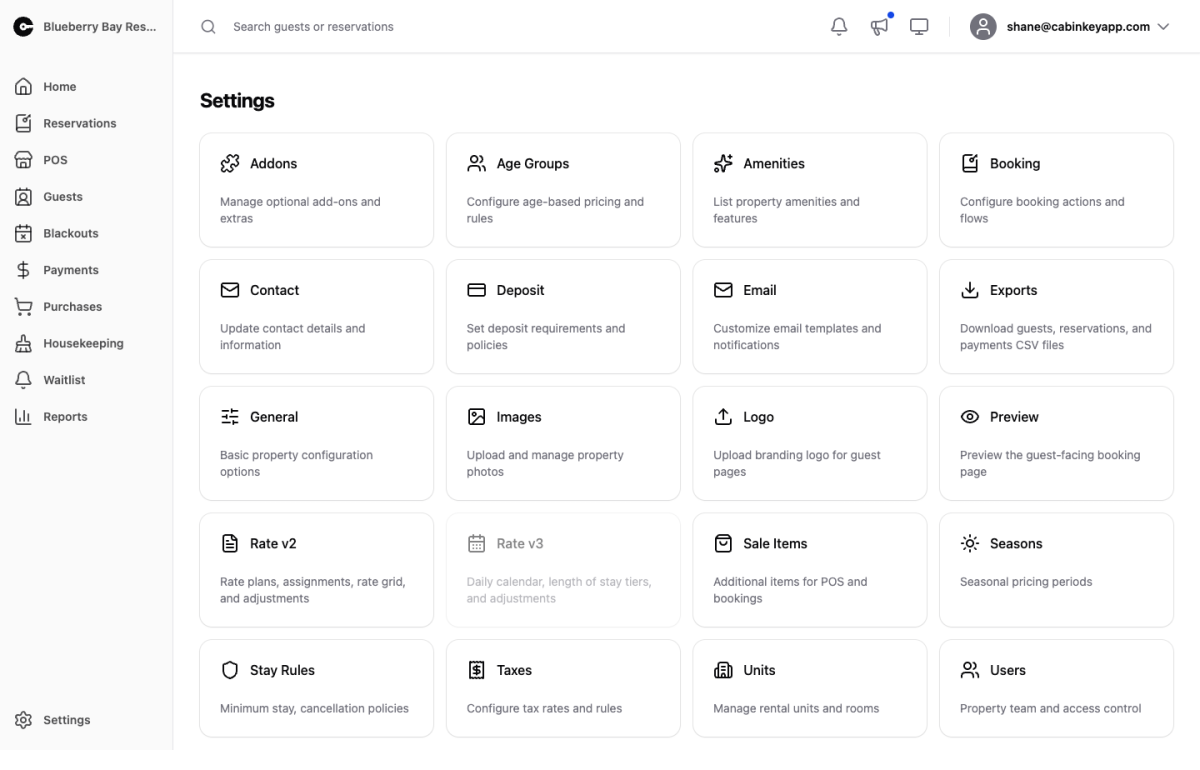 Click to enlarge
The hub for property configuration. Each card opens one area.
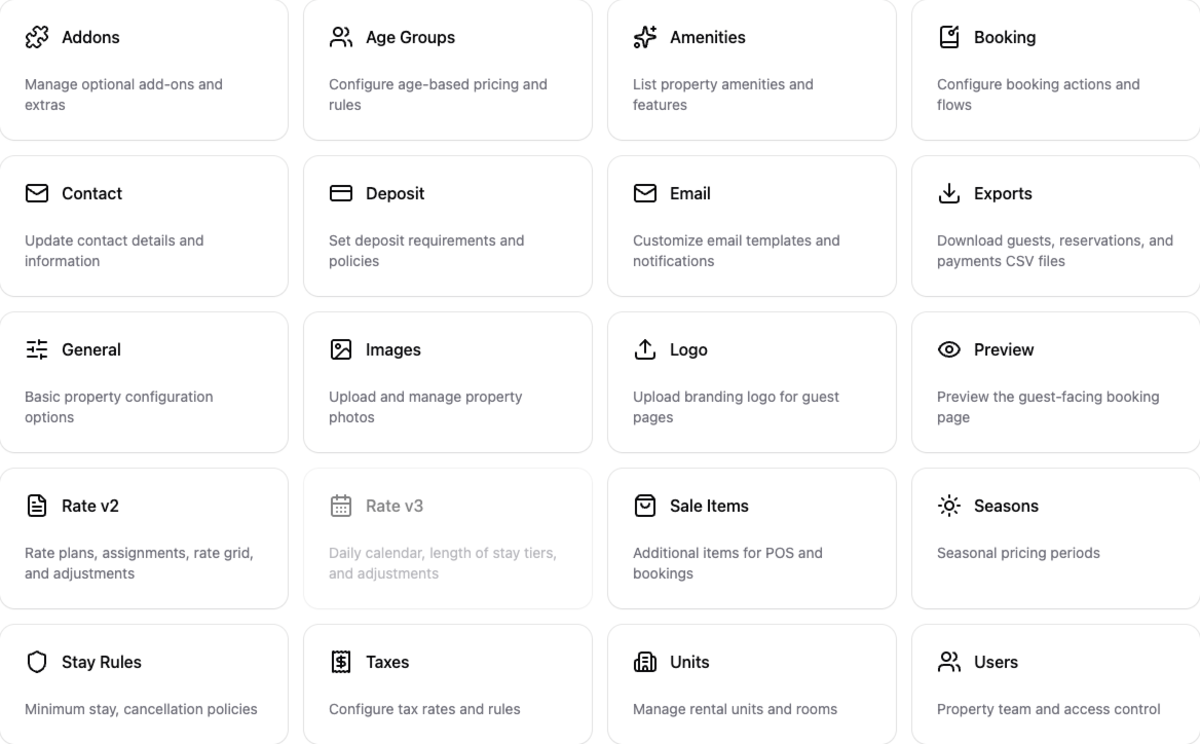
Settings Grid
 Click to enlarge
| Card | What it configures |
|---|---|
| Addons | Rentable extras with their own availability |
| Age Groups | The age bands used for occupancy pricing |
| Amenities | Property amenities and features |
| Booking | How guests book, and what your guest page offers |
| Contact | Public contact details |
| Deposit | What guests pay up front |
| Which automated emails go out, and to whom | |
| Exports | Guests, reservations, and payments as CSV |
| General | Names, times, timezone, and the rate engine |
| Images | Property photos |
| Logo | Branding for guest pages |
| Preview | The guest-facing booking page |
| Rate Adjustments | Discounts and mark-ups on rate plans |
| Rate Plans | Named nightly and weekly pricing |
| Sale Items | Things you sell outright |
| Seasons | The date ranges pricing is organized around |
| Stay Rules | Night limits and arrival and departure days |
| Taxes | Taxes, their rates over time, and what they apply to |
| Units | What guests stay in |
| Users | Who can sign in to manage the property |
Setting up a property
If you are starting from scratch, the order matters — several of these depend on each other:
- General — name, check-in and check-out times, and timezone. The timezone affects every date in the system, so set it first.
- Contact, Logo, Images — what guests see.
- Taxes and Age Groups — before rates, because pricing references both.
- Units and Addons — what you rent, with taxes assigned.
- Seasons — the date ranges everything else is priced against.
- Rates — the daily calendar on Rate v3, or rate plans on Rate v2.
- Stay Rules and Deposit — the terms of a booking.
- Booking and Preview — turn guest booking on and check the result.
The most common setup mistake is getting to step 6 before step 5, because rates cannot be set for seasons that do not exist yet.