Point of Sale
Ring up counter sales and attach them to a guest or reservation
Point of Sale
 Click to enlarge
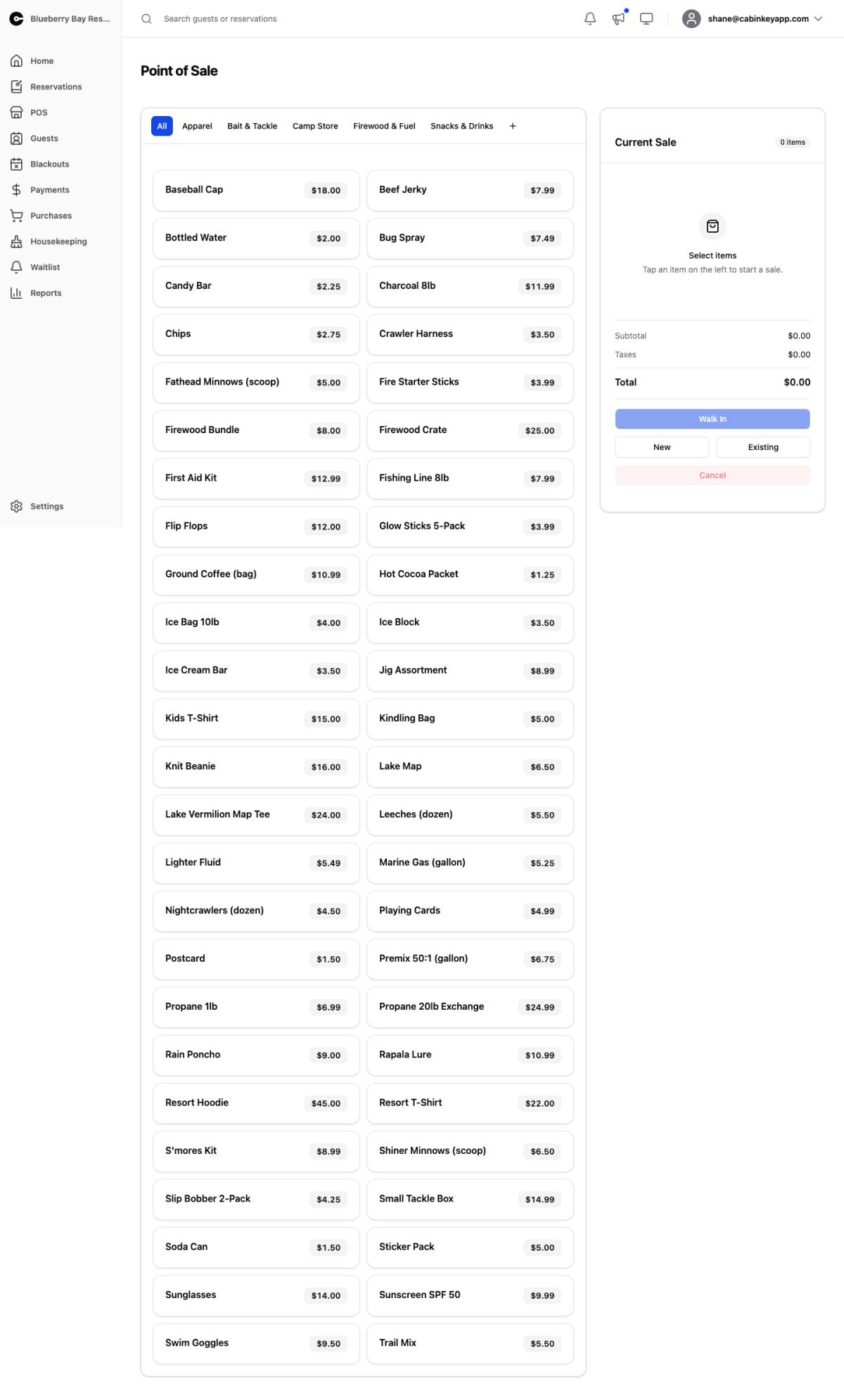
The counter till. Ring up in-person sales of your sale items — bait, firewood, ice, gift shop stock — and attach the sale to the right guest so it lands on their bill rather than disappearing into an untracked cash total.
The flow is build the sale, then decide where it goes. That order matters: choosing a guest or reservation completes the sale immediately, so get the items right first.
Sale Items
 Click to enlarge
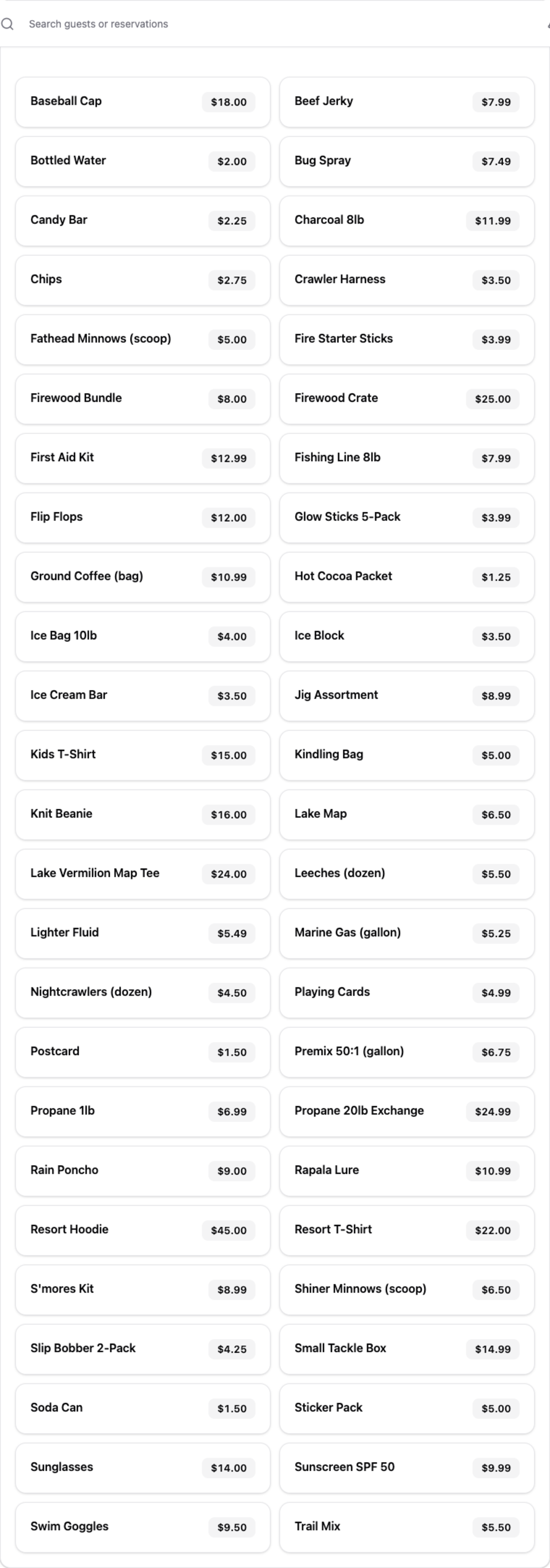
Everything you sell, laid out to be tapped. Items are arranged using your sale item groups, which is the main reason to keep those groups tidy — a well-grouped board is the difference between finding firewood instantly and hunting for it with a queue at the counter.
If this area is empty, you have no sale items set up yet. Add them on the Sale Items page first.
Current Sale
 Click to enlarge
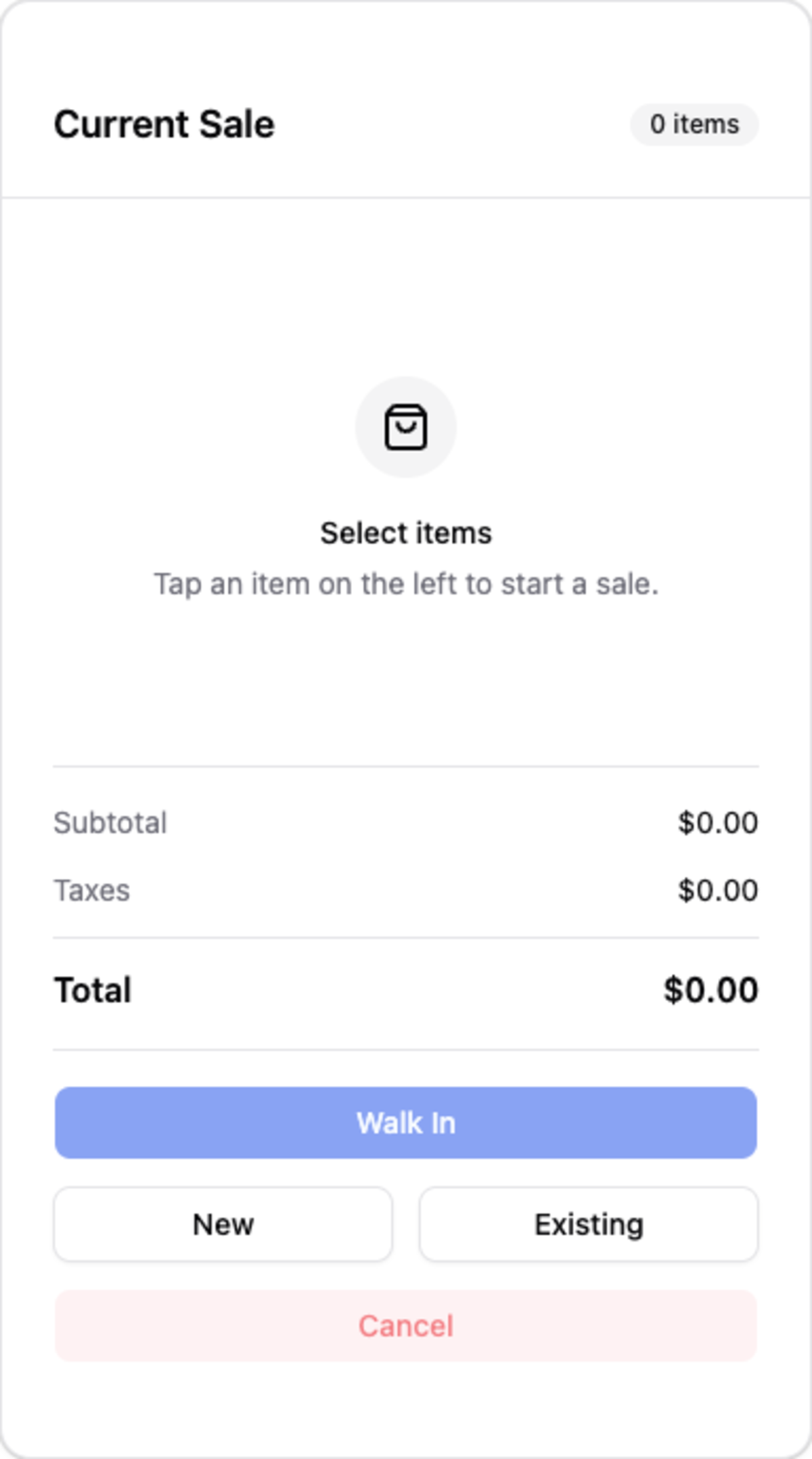
The running basket. Each line can have its quantity and unit price adjusted, so an item that is normally $12 can go out at $10 without changing what it costs everyone else.
Subtotal, taxes, and total recalculate as you go. Taxes come from whatever tax assignments that sale item carries, which is why getting assignments right matters here as much as on accommodation.
Completing the sale
Once the sale has at least one item, choose where it lands:
- Walk In — record it against the property’s walk-in guest. This is the fastest path for someone who is not staying with you, and it needs a walk-in guest configured for the property.
- New — search for a guest or create one, then start a reservation from this sale. Use it when a walk-in turns into a booking.
- Existing — attach the items to a reservation already in progress, so the guest settles it with the rest of their bill at checkout. On Premise Today lists reservations with a unit stay or add-on covering today, which is almost always who is standing in front of you; if not, search for any reservation.
Everything rung up here shows on the Purchases page, and feeds the Sale Item Revenue report.