Simple Rate Grid
Price every unit for a season in one spreadsheet-style view
Simple Rate Grid
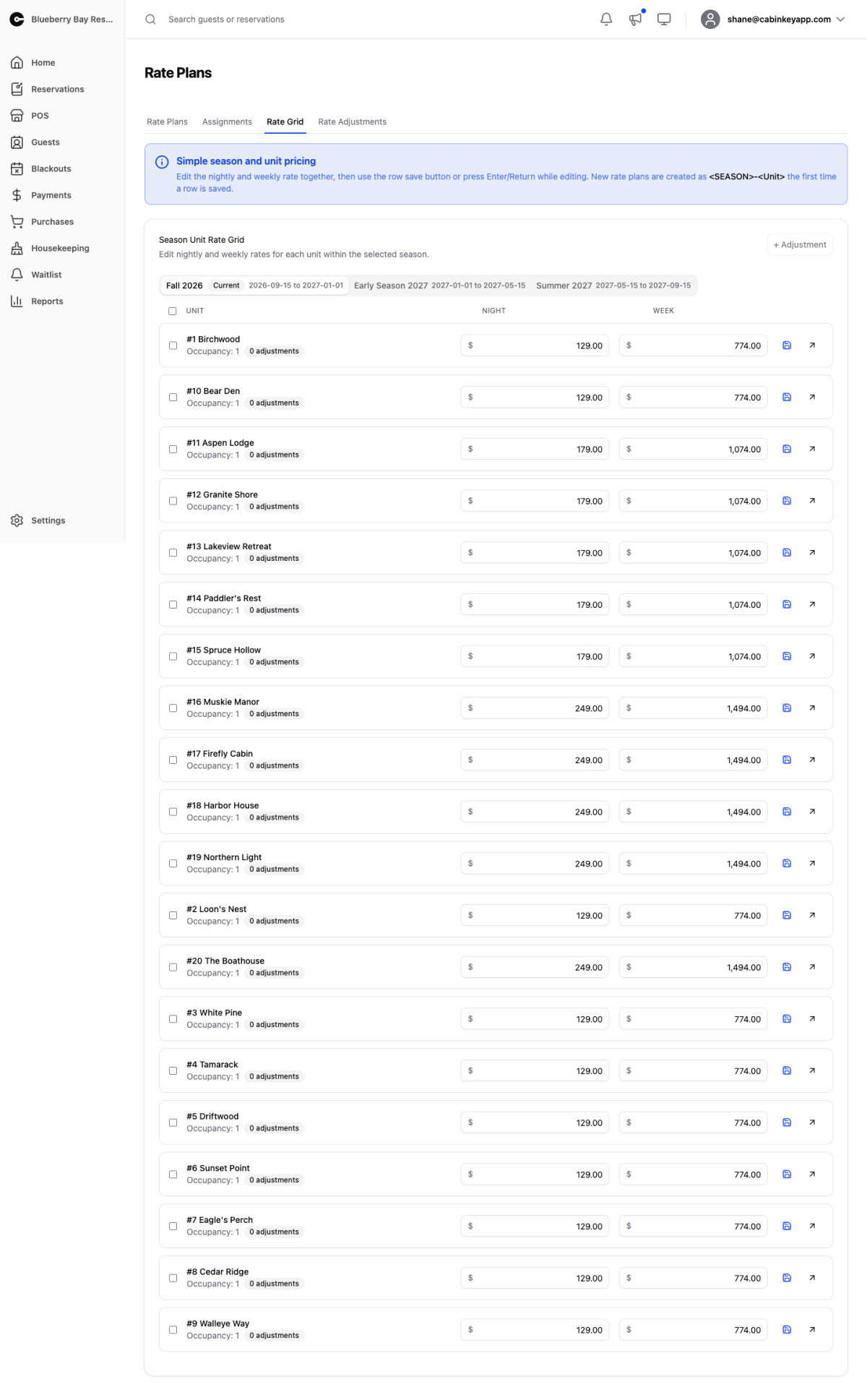 Click to enlarge
The simplest way to price a property on Rate v2. Pick a season, type a nightly and optional weekly rate for each unit, and save.
Behind the scenes CabinKey™ creates and assigns a rate plan per row on first save, so you get everything plans provide without naming or managing any of them. It is the same data either way — the grid is a different view of it, not a different system.
For a property where every unit is priced individually, this is all you ever need.
Adjustments from the grid
Select saved rows and Add Rate Adjustment to attach one adjustment to each of them in the current season. That covers the common case of a property-wide pet fee or weekend premium without opening each plan in turn.
When to move on
The grid creates one plan per unit, which is exactly what you want until it isn’t. Switch to managing Rate Plans directly when you find yourself:
- Changing the same price across many units — shared plans make that one edit instead of twenty.
- Wanting several adjustments layered on one plan.
- Needing to see which units share pricing, which the grid cannot show you.
Nothing is lost in the move. The plans already exist; you just start working with them by name.
A blank cell means that unit has no price for that season and will not be bookable in it, so scan for empties after adding a season or a unit.