Rate Plan Assignments
Which rate plan each unit uses, a season at a time
Rate Plan Assignments
 Click to enlarge
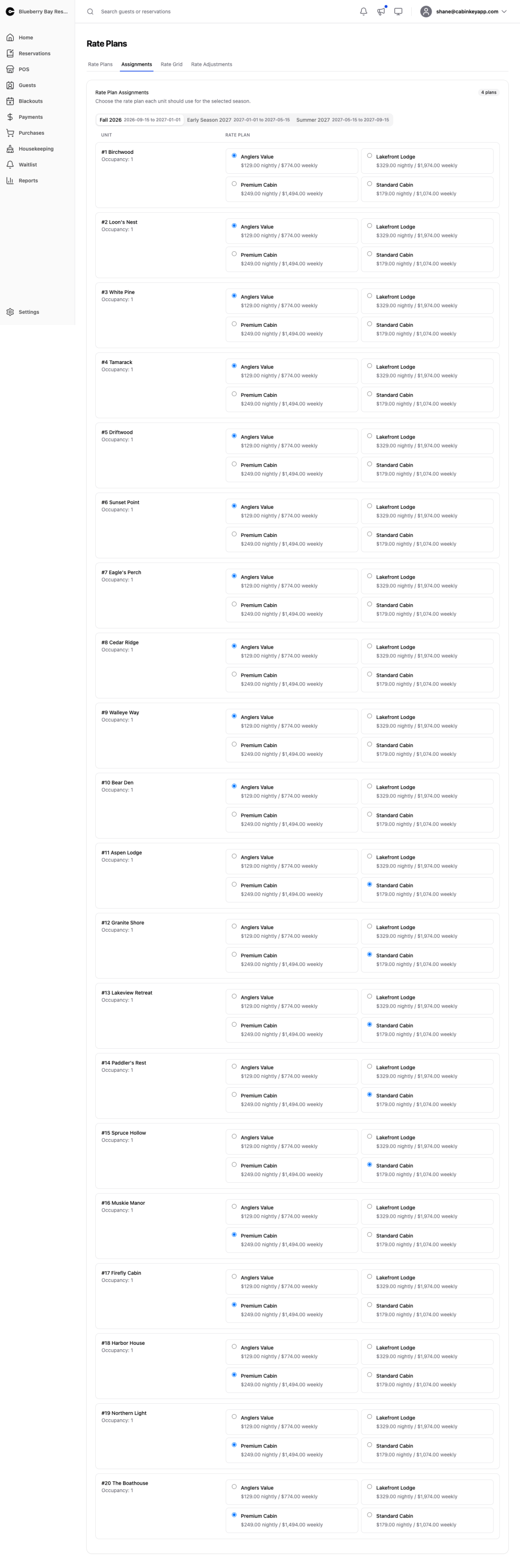
A season-at-a-time view of which rate plan each unit uses. Pick a season, then choose the plan for each unit from the dropdown. Each unit uses exactly one plan per season.
The same assignment can be made from a plan’s detail page; this page is the fastest way to review and fill gaps across all units at once.
Finding the gaps
This is really a coverage report. A unit with no plan assigned for a season has no price for those dates, and a unit with no price does not appear in guest search results at all — it does not fall back to another season or to zero, it simply is not offered.
That makes this the page to check whenever:
- You add a season. Existing units are not assigned to it automatically.
- You add a unit. It has no assignments anywhere until you make them.
- A guest reports they cannot book dates you believe are open.
Work down the season list and confirm every unit has a plan in every season you are selling. It takes a minute and prevents the most common and least visible pricing failure there is.