Addon Rates Grid
Set every add-on's rates for a season in one place
Addon Rates Grid
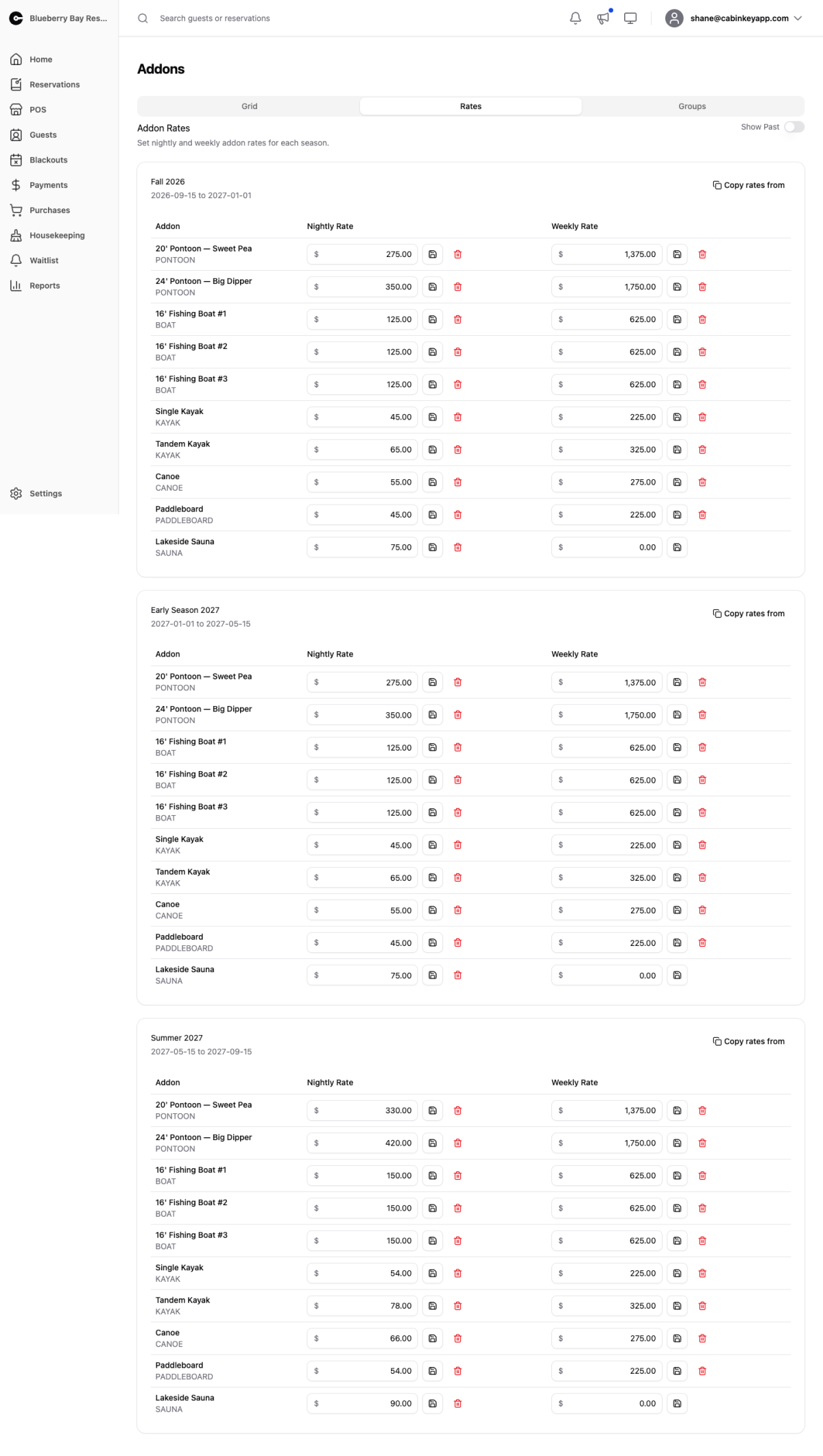 Click to enlarge
Nightly and weekly rates for every active add-on, season by season, in one grid. Pick a season, fill in the rates, save.
Rates can also be set on each add-on’s own detail page, but doing it there means opening every add-on in turn. This grid is where season rollover actually gets done, and where you can see your whole rental pricing at once and notice that the kayaks and the canoes have drifted apart for no reason.
Copy rates from pulls an existing season’s rates into the one you are editing — the fastest way to set up a new season that mostly matches last year’s, leaving you to adjust the few that changed rather than typing all of them.
Show Past reveals concluded seasons, useful for checking what you charged last year before setting this year’s.
Why blanks matter
An add-on with no rate for a season cannot be booked in it. It does not fall back to another season’s price or to zero — it simply stops appearing in the guest booking flow.
This is the single most common reason a boat disappears from bookings when a new season starts, and because the add-on itself looks perfectly healthy on its detail page, it can go unnoticed for weeks. Scan the grid for empty cells whenever you add a season or an add-on.
You need seasons and at least one active add-on before any rates can be set.