Sale Item Detail
Price, taxes, groups, and images for one sale item
Sale Item Detail
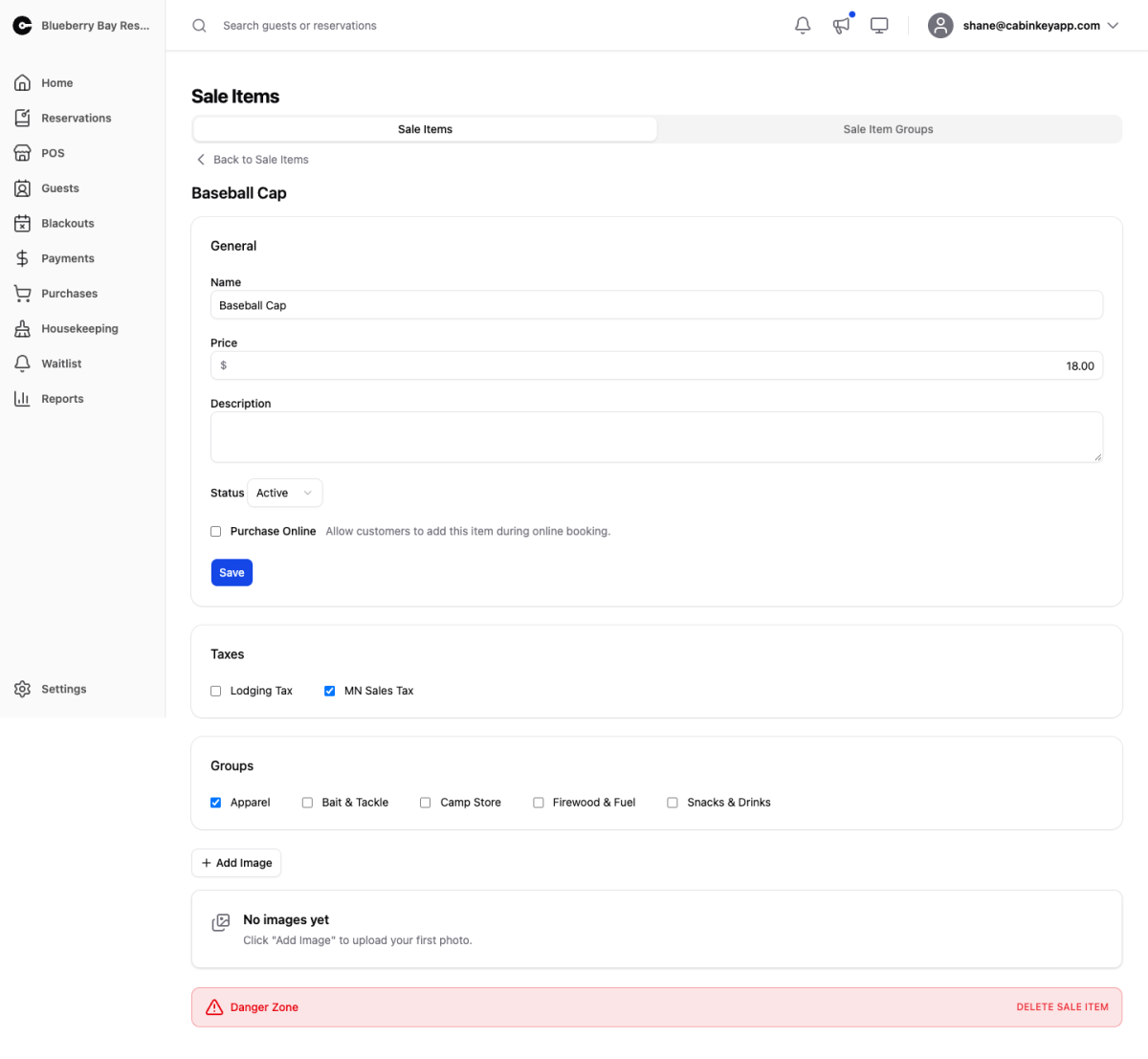 Click to enlarge
Everything about one sale item.
General
Name, price, description, and status.
The price here is the default. It can be overridden per line at the Point of Sale, so a discount for a regular does not require changing what everyone else pays.
Purchase Online lets guests add this item during online booking. Best for things worth pre-ordering — firewood, ice, a welcome basket — and worse for anything with sizes or variable stock.
Status takes an item off sale without deleting it, which is what you want for seasonal stock. An inactive item stays on past purchases and reports.
Taxes
Which of your property’s taxes apply.
Retail goods usually attract a general sales tax but not a lodging or occupancy tax, so sale items rarely carry the same set as your units. Some jurisdictions also treat certain goods differently again — food, for instance. Assign per item rather than applying everything everywhere.
Groups
The sale item groups this item belongs to. An item can be in more than one, so firewood can sit under both “Campfire” and “Popular” on the counter screen.
Image Gallery
 Click to enlarge
Product photos. Drag to reorder and mark one as featured.
Images are worth adding for anything sold online, where the guest has nothing else to go on, and for anything staff need to identify quickly on a busy counter screen.
Danger Zone
Deleting a sale item permanently removes it and its data, and cannot be undone.
Setting the status to inactive is almost always the better choice. It stops the item being sold while keeping past purchases, their tax records, and your revenue history intact — deleting takes that history with it.