Property Home
Today's arrivals, departures, pending reservations, and the resource calendar
Property Home
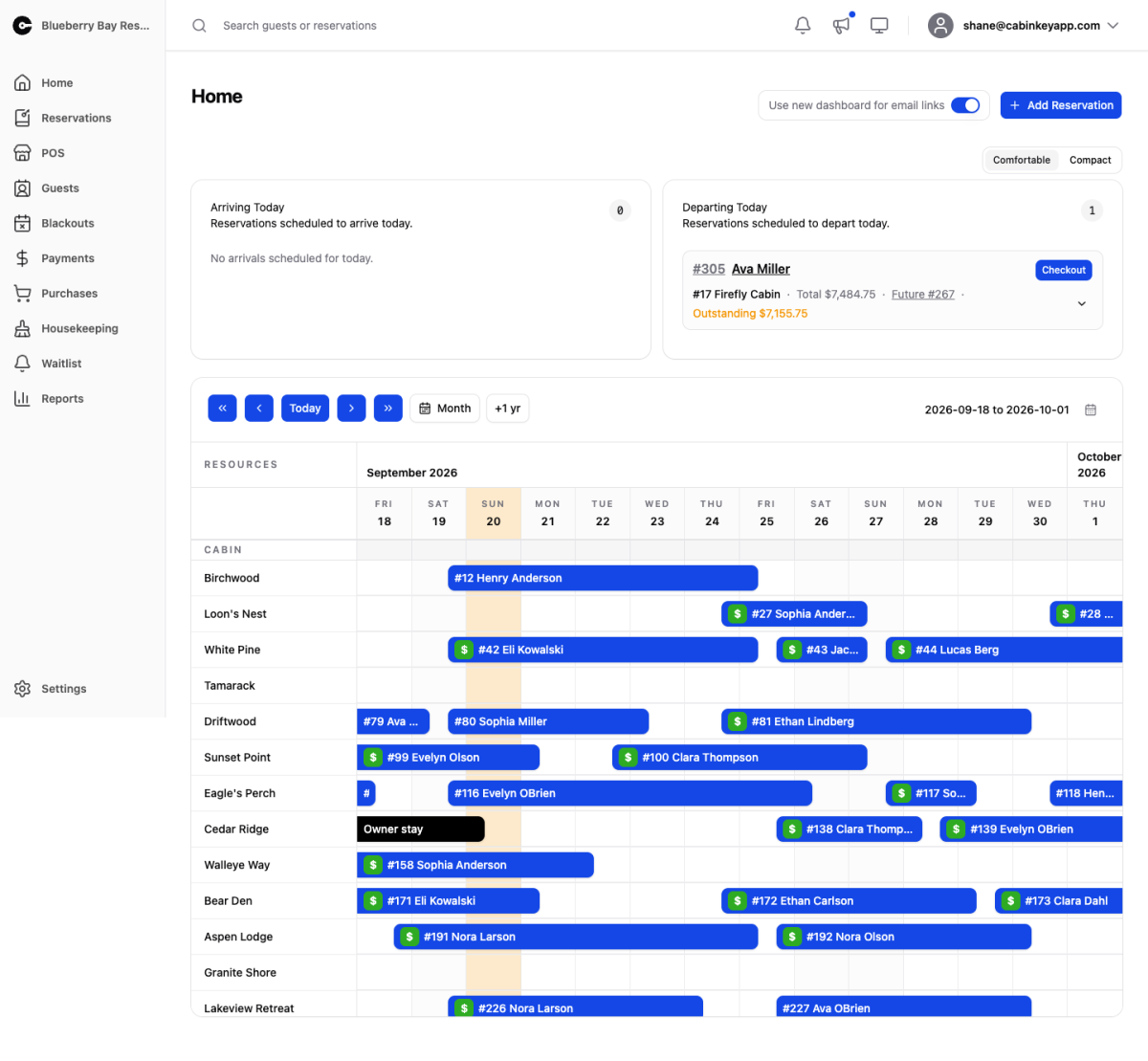 Click to enlarge
Your day at a glance. Who is arriving, who is leaving, what still needs a decision, and a calendar of everything booked. For most properties this is the page that stays open all day.
Everything on it is actionable in place — check a guest in, approve a booking, open a reservation — so a normal morning does not need any other page.
Arrivals & Departures
 Click to enlarge
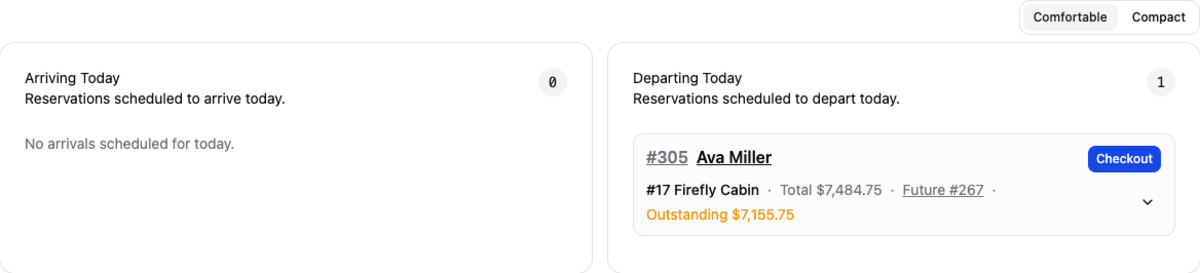
Everyone due in or out today.
Use Checkin and Checkout as guests come and go. These are not just record-keeping: checkout is what tells Housekeeping a unit needs turning over, so a property that skips it ends up with a cleaning board that cannot be trusted.
Departing reservations show the total and any outstanding balance, which is your last chance to collect before the guest drives away. Rebook beside a departure sets up next year’s stay while the guest is still standing at the desk — the single highest-converting moment you get, and the reason returning-guest numbers on the Return Rate report move.
Expand a row to see the reservation’s unit stays and add-ons without leaving the page.
Pending Reservations
 Click to enlarge
Bookings waiting on you rather than on the guest. A pending reservation is holding dates that nobody else can book, so this list is the one with a clock on it — anything sitting here is inventory you are not selling.
 Click to enlarge
Each row shows the order number, guest, items, dates, total, and outstanding balance. The row menu lets you approve, send a confirmation, or open the reservation in full.
Reservations whose hold is about to lapse are called out on the Reports page under Pending Expiring; when a hold does lapse, the dates go back on sale automatically.
Resource Calendar
 Click to enlarge
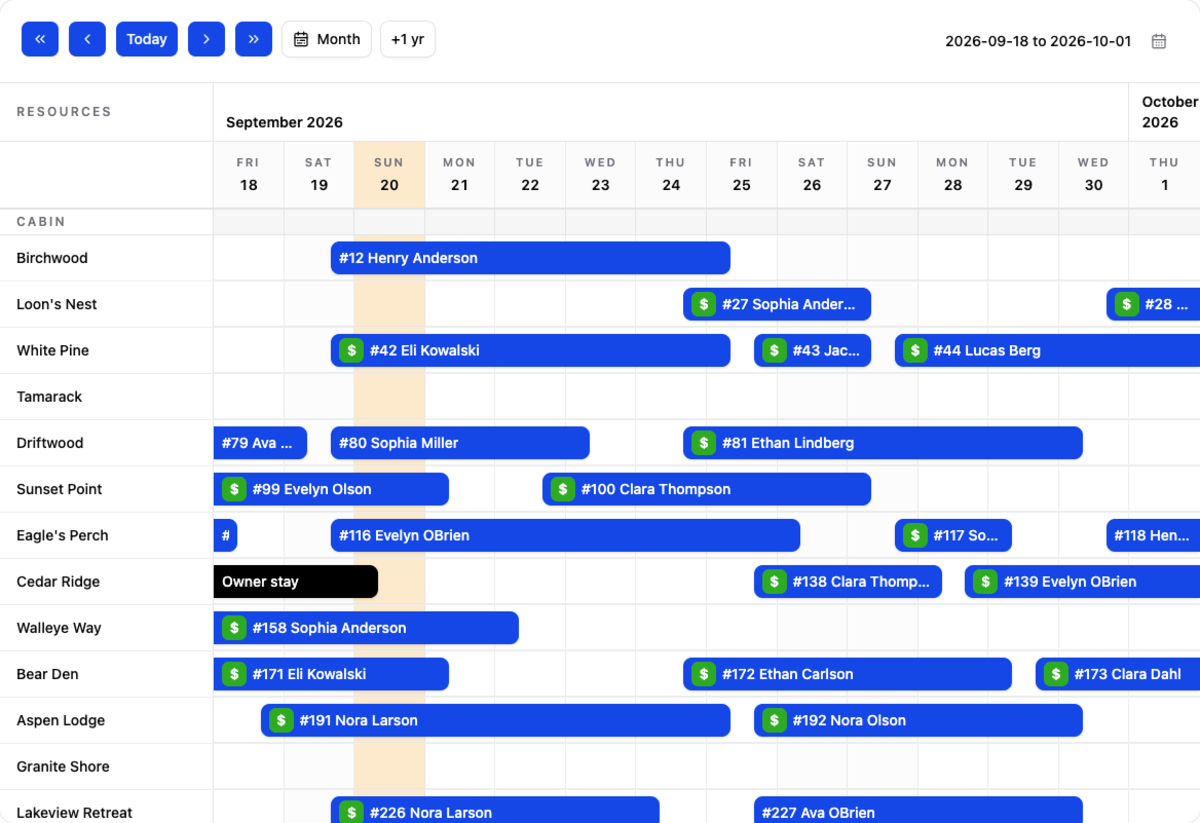
Every unit and add-on on a timeline, grouped by type, with reservations drawn as bars. This is the fastest way to see the shape of a week: where the gaps are, which units are carrying the season, and whether a one-night hole is blocking a longer booking.
Step backward and forward, jump to Today, switch to a month view, or look a year ahead with +1 yr — useful when a guest asks about the same week next season. Click any bar to open that reservation.
Blackouts appear here too, so a unit closed for repairs reads differently from one that simply has not sold.