Unit Revenue Report
Revenue broken down by unit, with fees, discounts, and taxes separated
Unit Revenue Report
 Click to enlarge
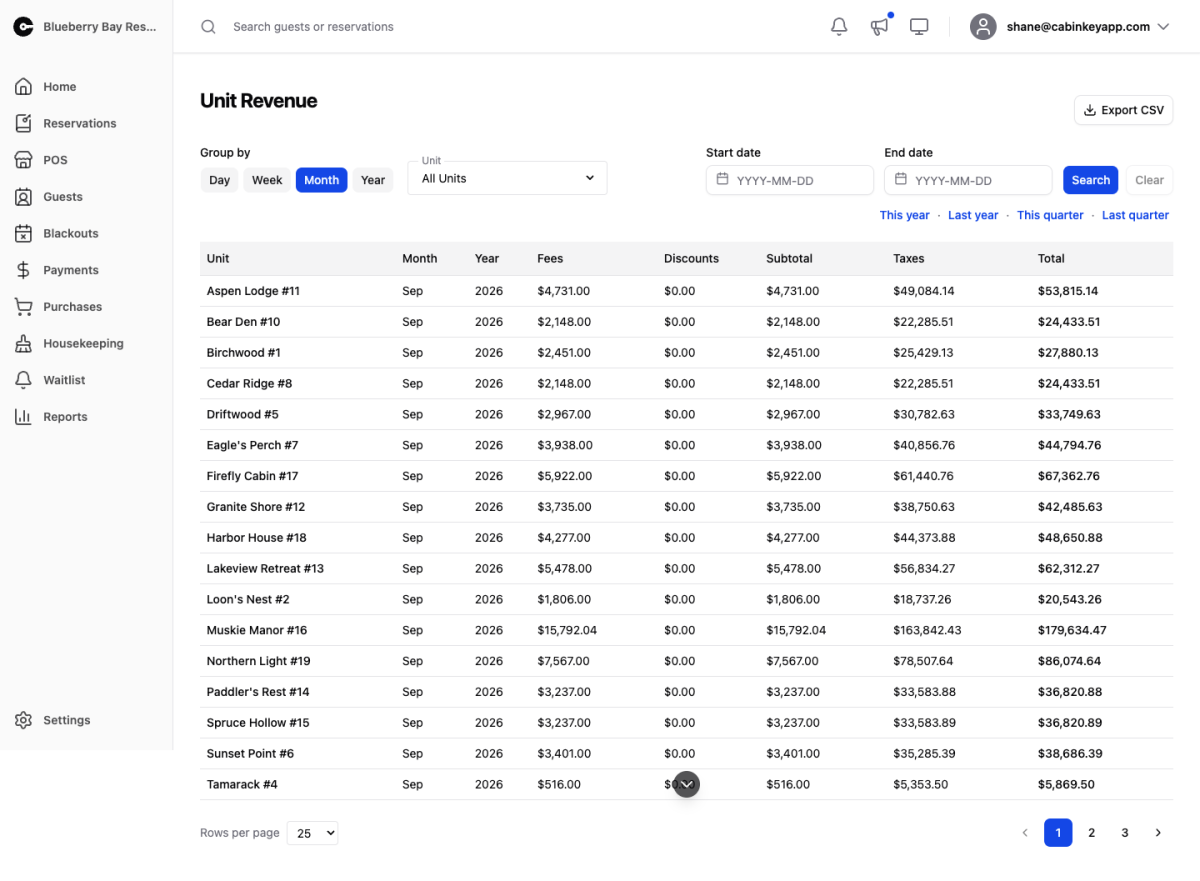
Revenue broken down by unit — which cabins earn their keep. Where the Revenue Report gives you one number for the property, this one attributes it to the units that produced it.
Read it alongside the Utilization Report. A unit with high revenue and high occupancy is priced about right; high occupancy with low revenue usually means it is underpriced, and the reverse means you are pricing yourself out of nights you could be selling.
Filters
 Click to enlarge
Beyond the shared Group by, date range, and presets, this report adds a unit filter. Leave it on All Units for the comparison view, or pick one to follow a single unit through the period — useful when you have changed its rate and want to see whether the change worked.
Report Table
 Click to enlarge
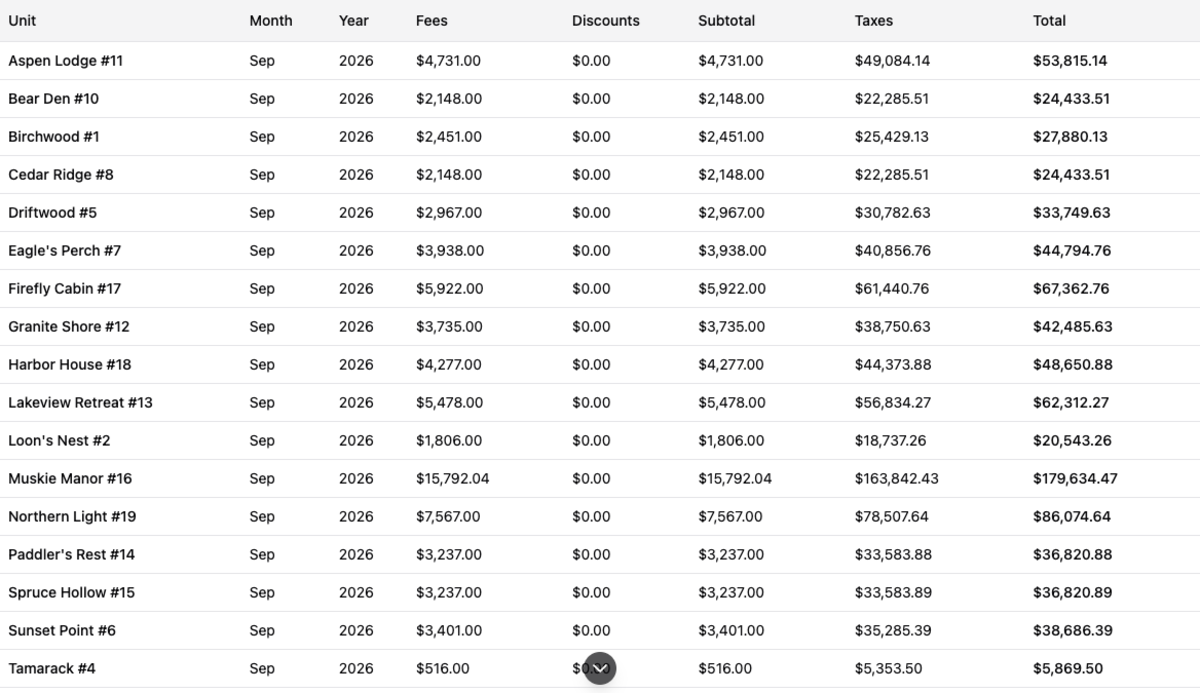
One row per unit per period, with the money split into columns:
- Fees — cleaning and other fees charged on the stay.
- Discounts — what you took off, as a negative.
- Subtotal — the charge before tax.
- Taxes — tax collected on it.
- Total — what the guest actually paid.
Keeping fees and discounts in their own columns means a unit that looks like it is earning well on Total can still be checked for how much of that is discounted business.
Totals cover the whole filtered range rather than the current page, and Export CSV exports that same range.