General Settings
Names, times, timezone, capacity enforcement, and the rate engine
General Settings
 Click to enlarge
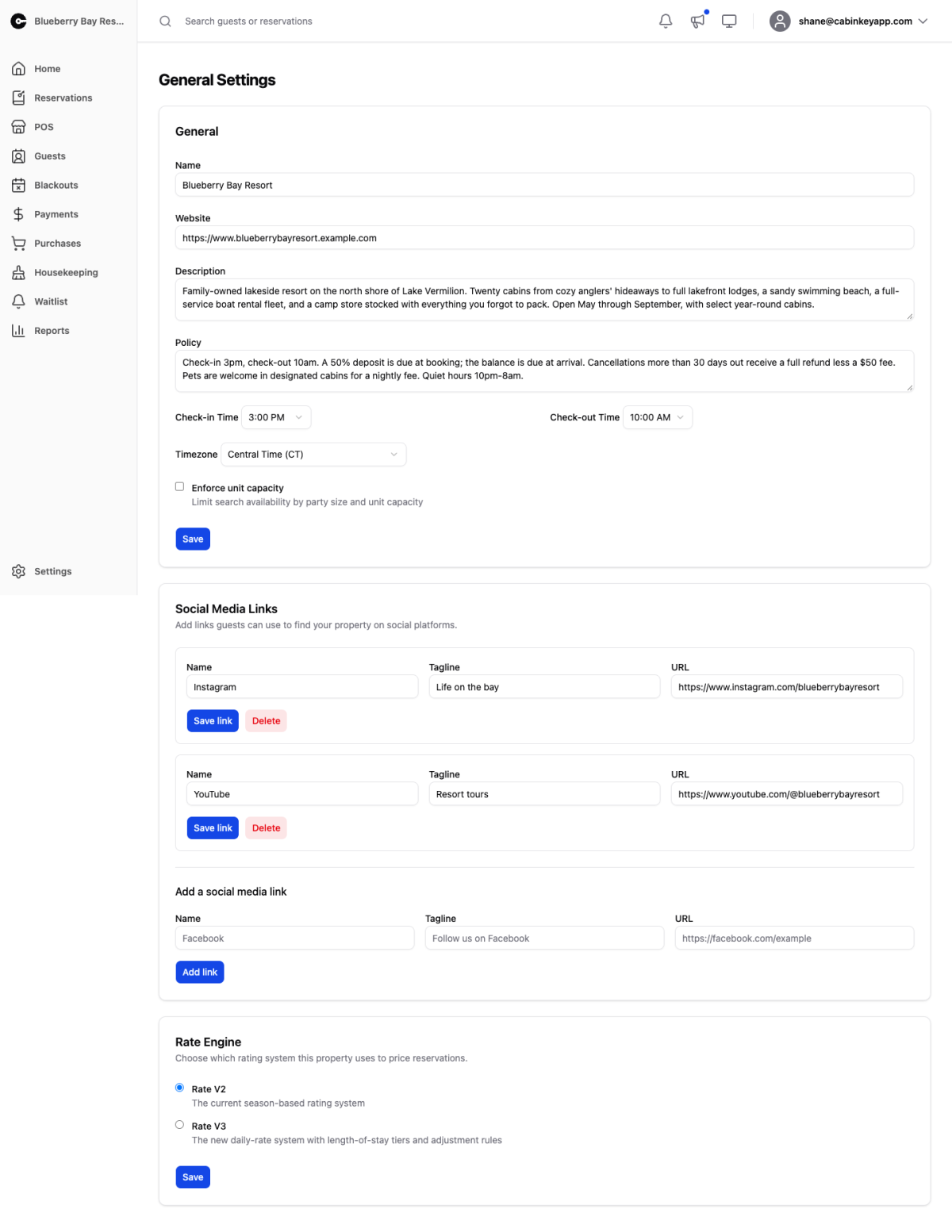
The basics of your property, plus the switch that decides which pricing engine it runs on.
General
 Click to enlarge
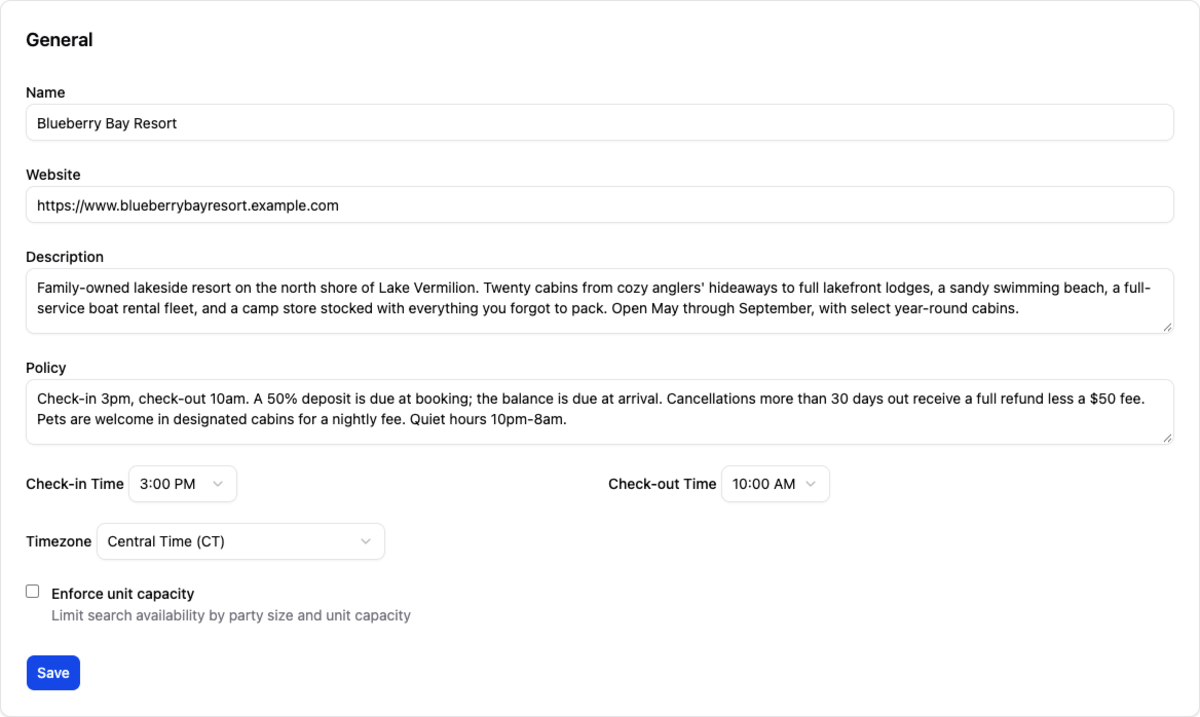
Your property’s name, website, description, and policy text, all shown to guests. The policy text is where cancellation terms, pet rules, and quiet hours belong — guests see it before they commit, which is exactly when you want them to.
Check-in and check-out times set what guests are told and shape the turnover window your housekeeping has to work in.
Timezone affects every date in the system: what counts as today on the property home page, when a pending reservation expires, and how the quarter and year presets on reports are calculated. Set it correctly when you create the property and leave it alone — changing it later shifts the boundaries of things already recorded.
Enforce unit capacity limits search availability by party size against each unit’s max capacity. With it on, a party of six is not shown a unit that holds four. With it off, guests can book a unit too small for them, which you then have to sort out by hand.
Rate Engine
 Click to enlarge
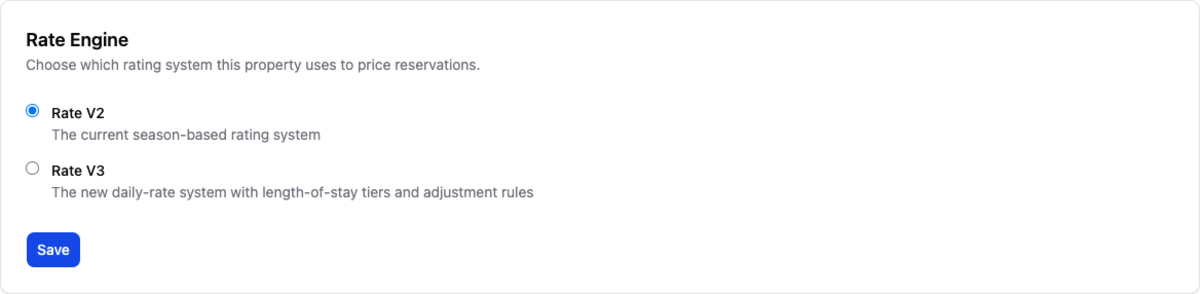
Which pricing system this property uses to quote reservations.
- Rate V2 — the season-based system. Prices come from rate plans assigned per season, with rate adjustments layered on top.
- Rate V3 — the daily-rate system. Every unit has an explicit rate for every night on a calendar you can see and edit, with length of stay tiers and adjustment rules.
This switch changes how live bookings are priced, so treat it as a release rather than a setting. Author your v3 rates first — they have no effect on quotes while the property is on v2 — then check them on the Compare page, which prices the same stay through both engines and tells you where they disagree.
Switch over once the scenarios you care about come out the way you want. Existing reservations keep what they were quoted; the change applies to new bookings.
Social Media Links
 Click to enlarge
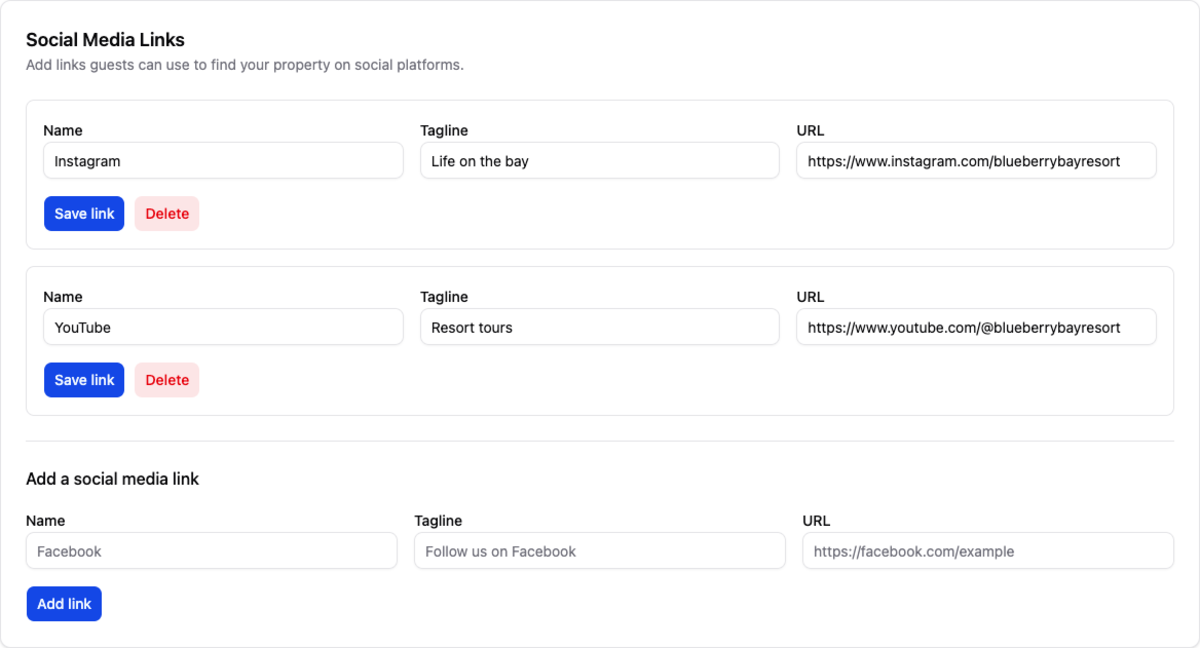
Links guests can use to find you on social platforms. Each has a name, a tagline, and a URL, and appears on your guest-facing pages.
Worth keeping current — a link to an account you abandoned two seasons ago says more than no link at all.