Payments Report
Payment transactions for a date range, split by deposits and method
Payments Report
 Click to enlarge
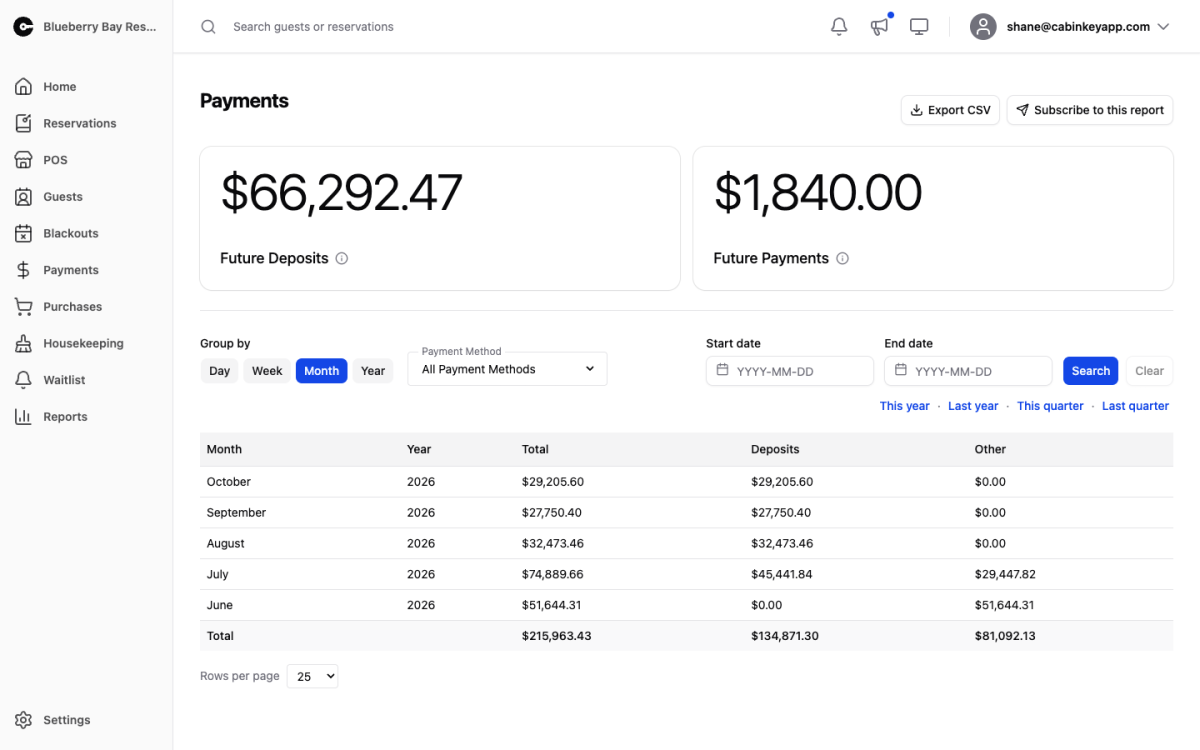
Money received, grouped by period. This is the report to reconcile against your bank statement: it counts payments on the day they were taken, not the stay they belong to, so a deposit collected in March for an August booking lands in March.
That is the important difference from the Revenue Report, which attributes money to the stay. The two will not agree for any range where deposits were taken, and that is expected — one tells you what you earned, the other what you banked.
Filters
 Click to enlarge
The usual Group by, date range, and quarter and year presets, plus a payment method filter. Leave it on All Payment Methods to reconcile everything, or narrow it to one method to tie out a single merchant account or your cash drawer.
Report Table
 Click to enlarge
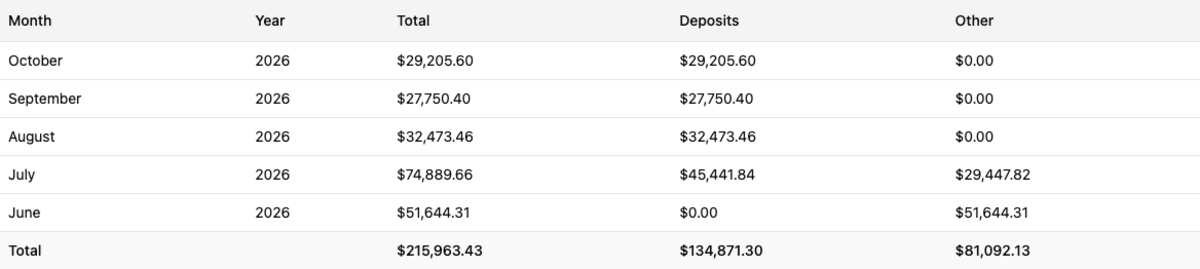
Each period shows Total received, how much of it was Deposits, and how much was Other — the balance payments and incidentals. Watching the deposit share is a decent early read on the season: deposits are next season’s occupancy arriving early.
Totals are for the whole filtered range, not the visible page, and Export CSV exports the same range.
For card-specific detail — fees, payouts, and disputes — use the Stripe Report instead.